You want to restart Chrome without losing a work trail.
Practical guide
How to close tabs without losing them
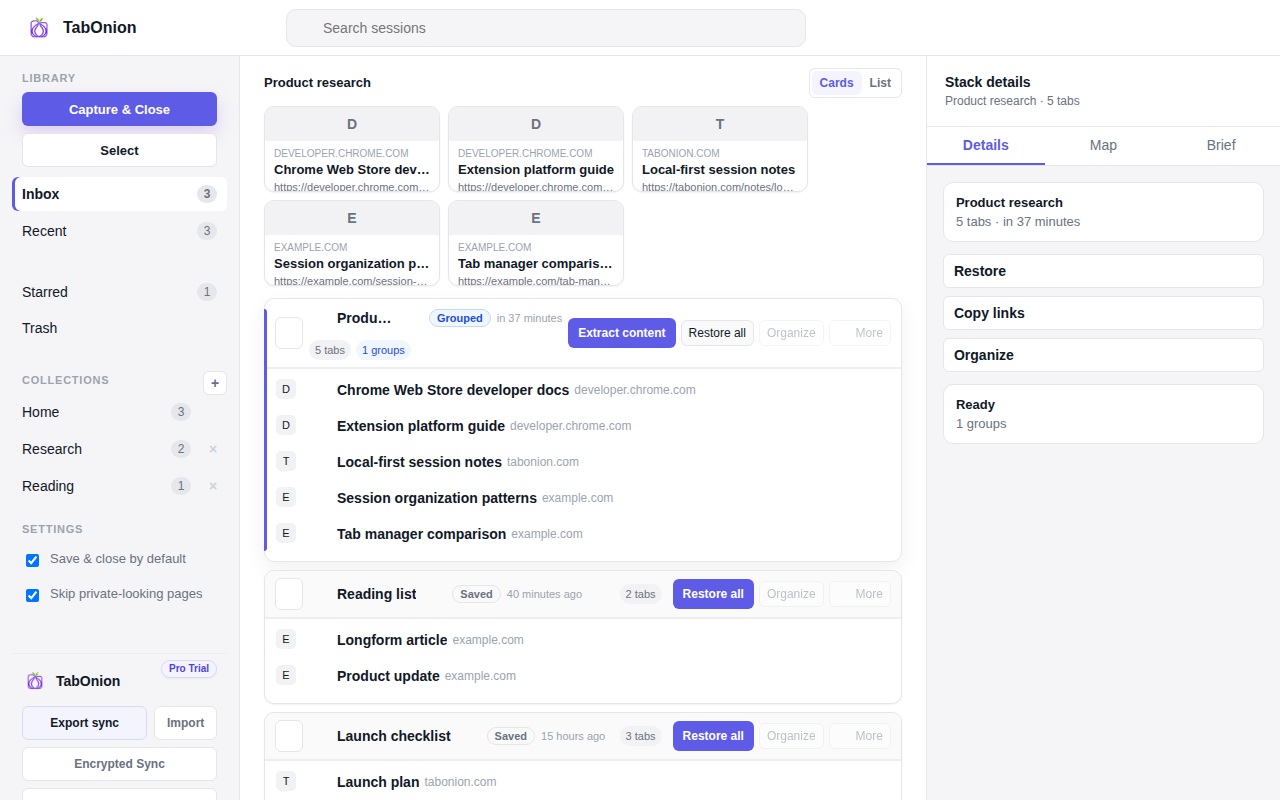
The safest way to close tabs without losing them is to save the selected tabs as a named session before closing the window. TabOnion captures the tab titles and URLs locally so you can restore the work later, copy the links, or export the session when you need it.
Short answer
Close the visual pile, keep the work.
Close browser tabs without losing your work by saving the selected tabs first, keeping a local restore point, and exporting links when needed.
Good fit when
You have a crowded window but still need some pages later.
You want a simple restore path before closing tabs.
How to do it with TabOnion
- Select the tabs that belong together.
- Use Cap & Close to save a local pack.
- Restore, copy, or export the pack when the work returns.
Why people keep tabs open
Tabs often represent unfinished decisions, research trails, or pages you are afraid you will not find again. Closing them without a capture step can feel like losing work, even when the pages are technically in browser history.
A safer workflow
Save the tabs you still need, name the pack after the task, close the visual clutter, and restore only the tabs that matter when you return. This keeps the browser lighter without turning every link into a permanent bookmark.
What TabOnion does not claim
TabOnion does not recover tabs that were never saved. It helps you create a local snapshot before closing, restarting, switching projects, or cleaning up a crowded window.
Common questions
Can I restore tabs after closing Chrome?
Yes, if the tabs were saved into a TabOnion pack first. Unsaved browser crashes still depend on Chrome's native recovery.
Does TabOnion save cookies or login sessions?
No. TabOnion saves selected tab titles and URLs, not cookies, passwords, form inputs, or third-party session tokens.