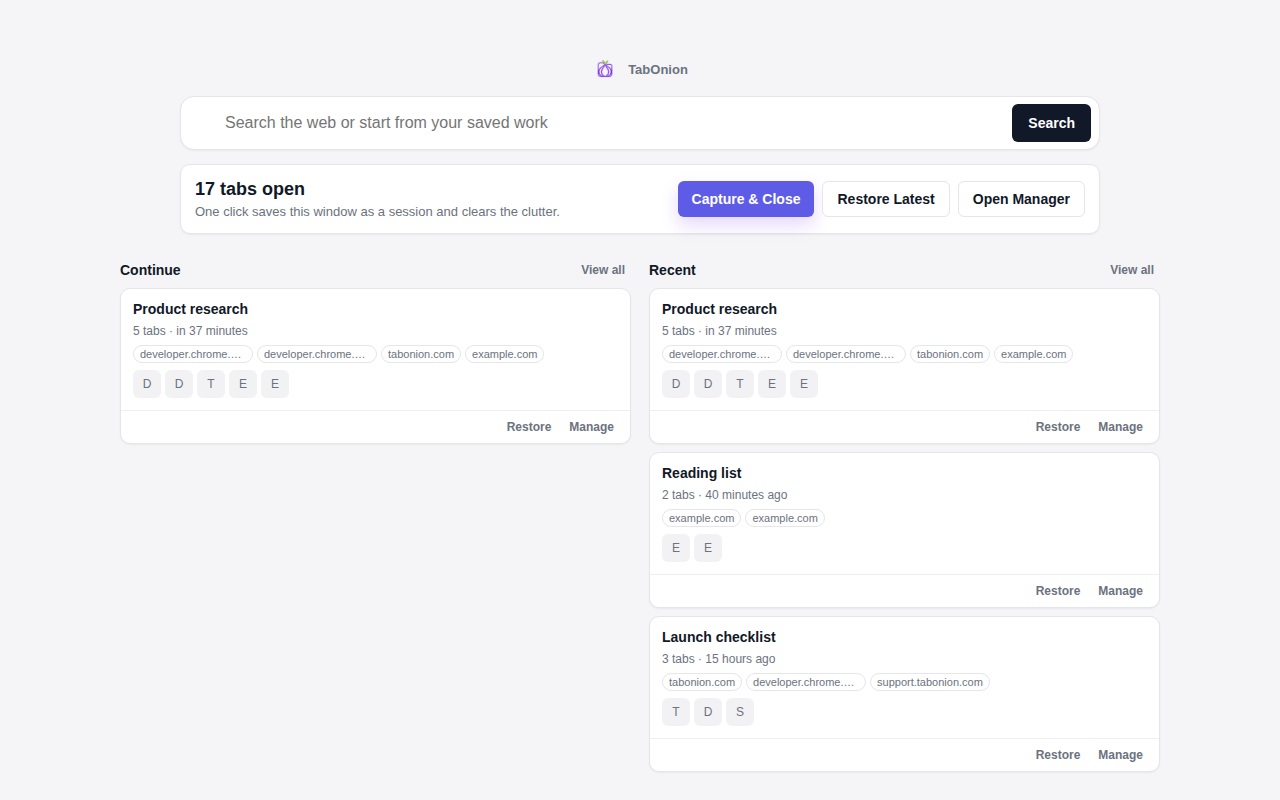
Capture only what matters.
Start with the tabs that belong to one task. Capture is selected and user-triggered, not a background sweep of every page body.
Product docs
TabOnion saves selected browser tabs into local-first source stacks. These docs show the actual surfaces for capture, review, restore, copy, Markdown export, and AI handoff.
Interface close-ups
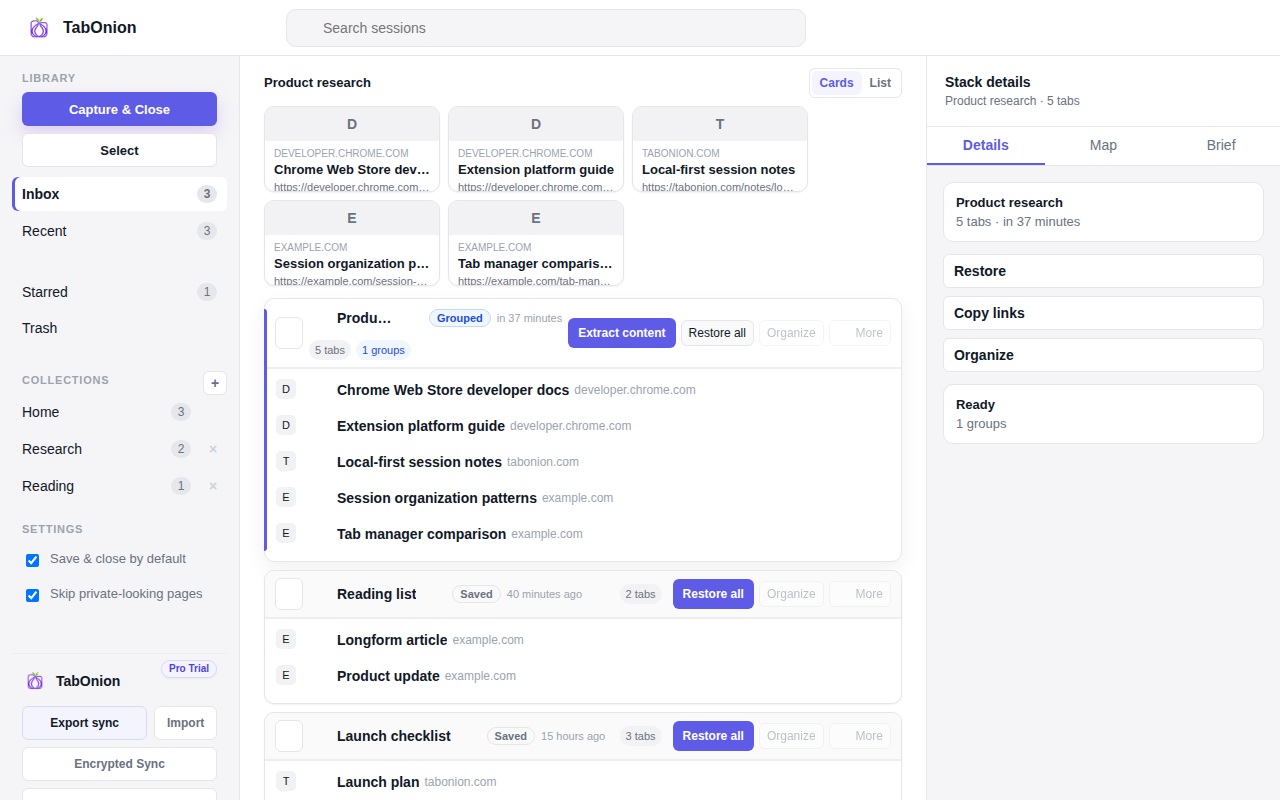
Start with the tabs that belong to one task. Capture is selected and user-triggered, not a background sweep of every page body.
The stack list makes saved work scannable. Restore, copy, or continue only after you can see the source list.
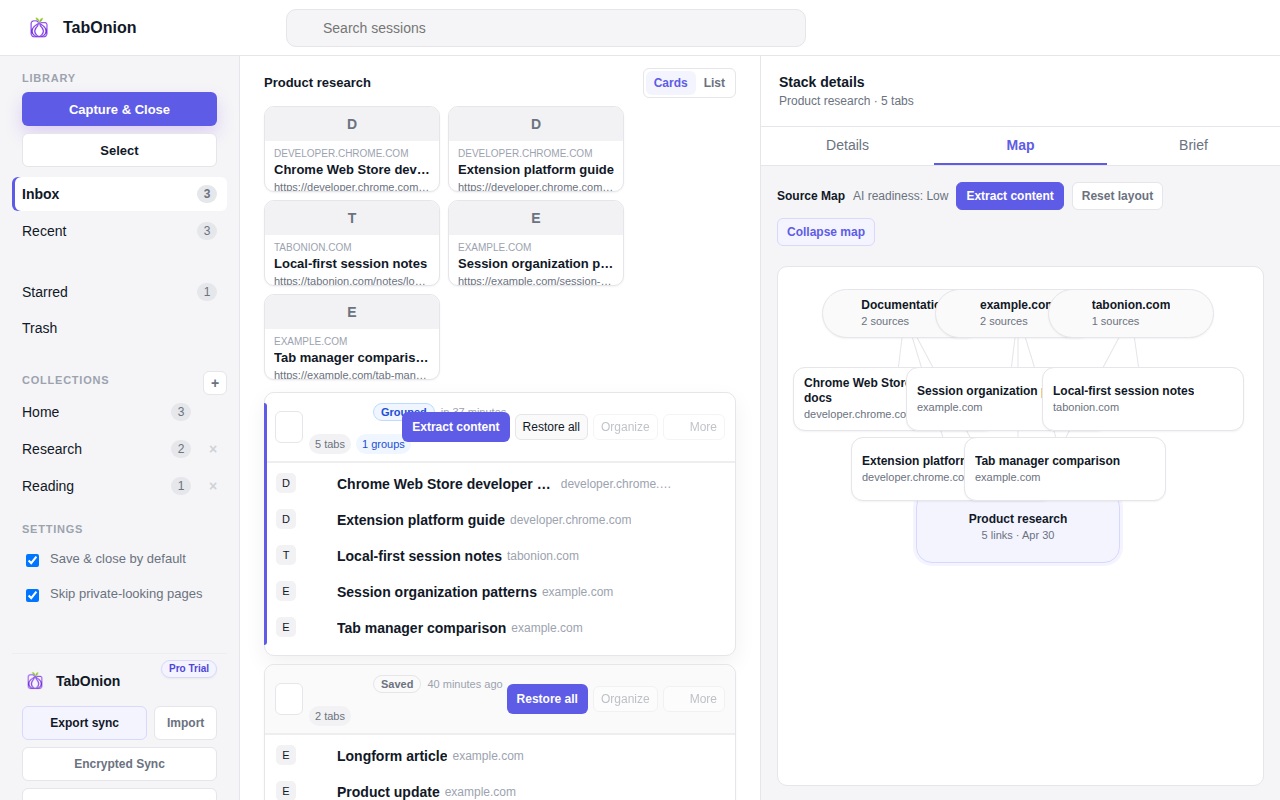
Source maps help users move from a raw tab pile into a reviewed set for notes, docs, tickets, or AI prompts.
Capture & Close saves selected tab titles and URLs so you can restore the full stack or open only the links you need.
Readable page extraction is explicit and user-triggered. It exists to prepare cleaner exports, not to silently scrape the web in the background.
Manual links and graph relationships explain why pages belong together without hiding the original source list.
Export structured source stacks through the Portable Context Pack format for Markdown, JSON, Obsidian, Claude, ChatGPT, Gemini, docs, specs, and tickets.
Invite and membership codes can unlock trial or Pro access. TabOnion verifies access without reading your saved tab lists.
Reviewed stacks can become formal evidence and workflow material in Revelare when work needs a stronger audit trail.
Privacy boundary
TabOnion should be used as a user-controlled source-stack workflow. It does not transfer cookies, passwords, authentication sessions, or form input values, and it does not send saved browsing context to AI tools automatically.