You want links formatted for docs, notes, or issue trackers.
Export workflow
Export browser tabs to Markdown
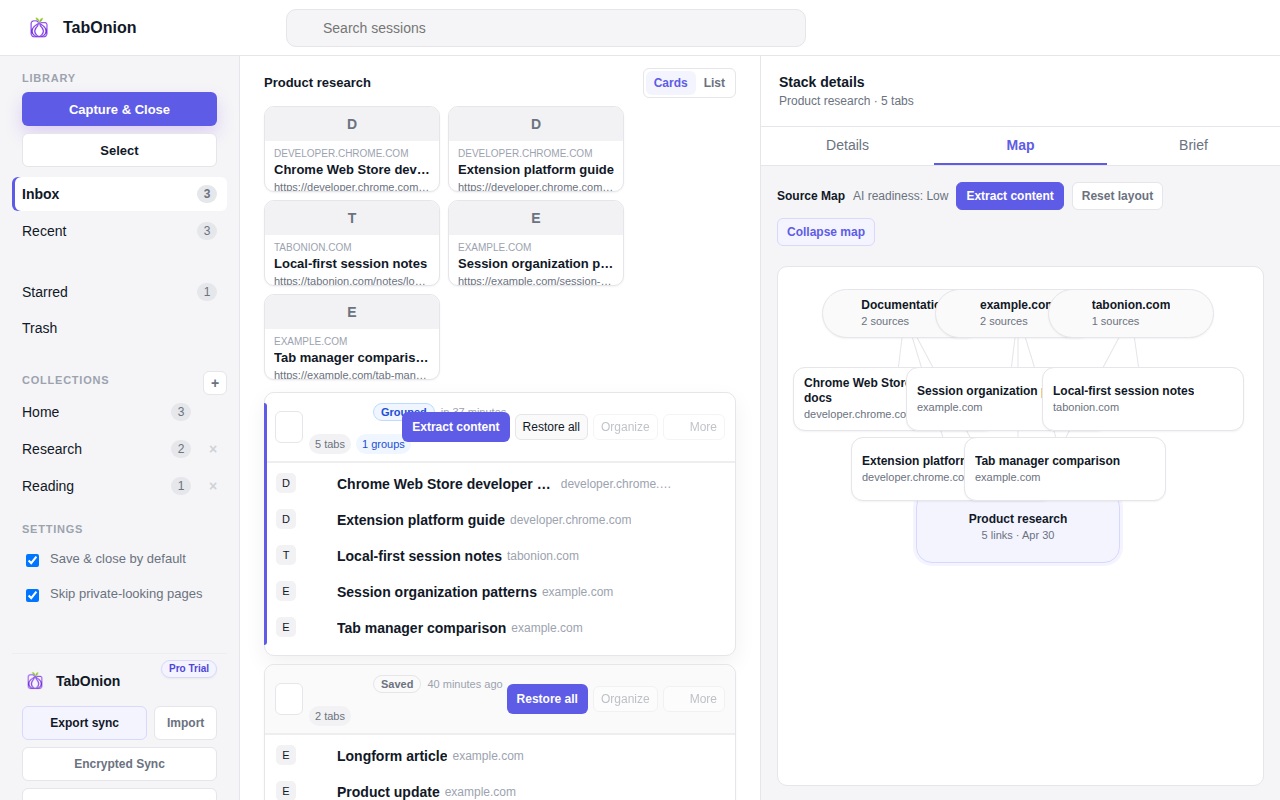
Exporting tabs to Markdown turns a browser session into a portable source list. TabOnion starts by saving selected tab titles and URLs locally, then lets you create Markdown when you need a clean handoff into notes, documentation, or AI tools.
Short answer
A source list for docs, notes, and AI.
Export selected browser tabs as Markdown links for docs, notes, issue reports, research packets, and AI prompts.
Good fit when
You need a clean source list for research.
You want to prepare browser context for AI tools.
How to do it with TabOnion
- Save the source tabs into a pack.
- Review the titles and remove noise.
- Export Markdown for the target workflow.
Why Markdown works
Markdown keeps links readable in GitHub, Obsidian, Notion-style notes, issue trackers, and AI prompts. It is lightweight enough for quick export and structured enough for reuse.
From tab pile to source bundle
A saved pack can become a source bundle with title, URL list, notes, and context about why the pages belong together.
AI-ready does not mean automatic data sharing
The user chooses when to export. TabOnion should not silently send saved tabs or page content to analytics or AI services.
Common questions
What does a Markdown tab export include?
At minimum it should include page titles and URLs. Advanced exports may add notes or context when the user asks.
Can I use Markdown with ChatGPT or Claude?
Yes. Markdown link lists are a clean way to prepare source context for AI tools.