You are collecting sources for a project or article.
Research workflow
Save research tabs as a source bundle
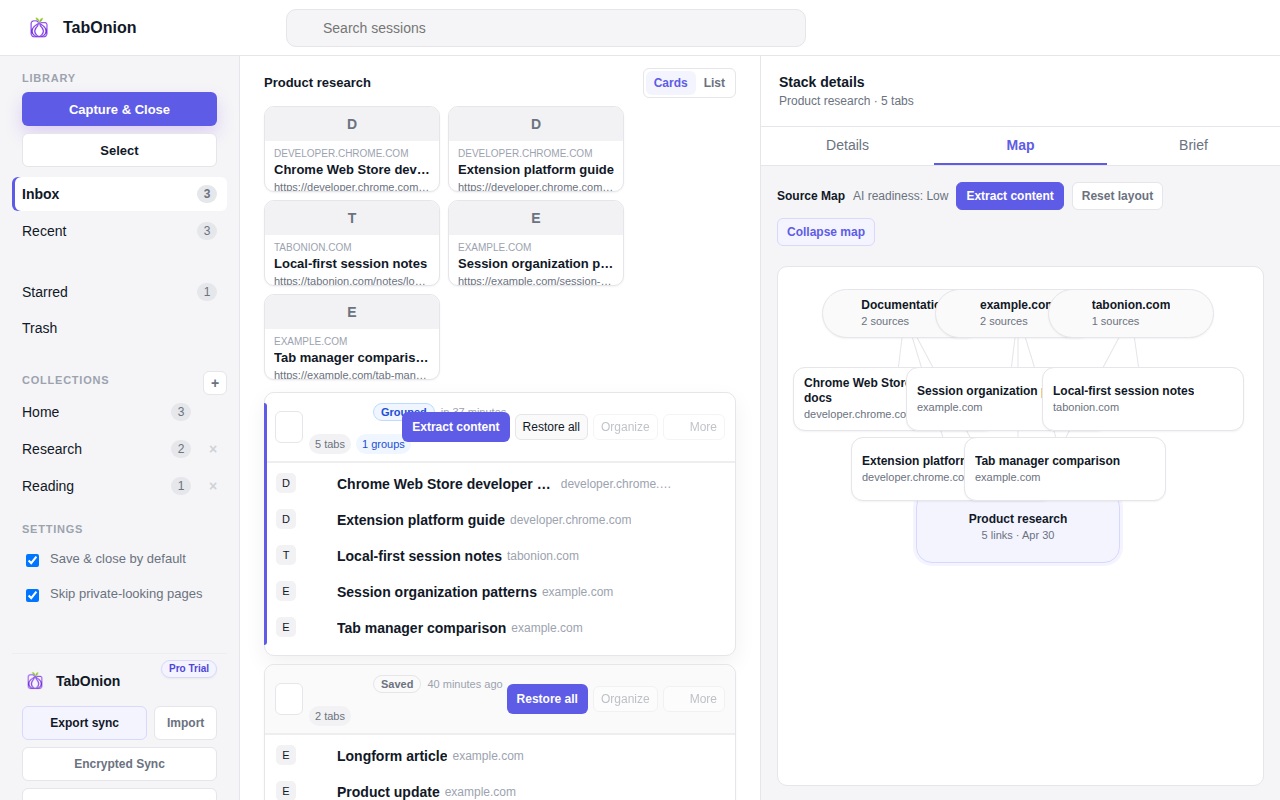
Research tabs are more than links; they are an evidence trail for a question, decision, article, report, or product investigation. TabOnion saves selected research tabs as a local pack so the source set can be restored, searched, copied, or exported later.
Short answer
Preserve the evidence trail.
Save research tabs into a local TabOnion pack so a source trail can be restored, shared, copied, or exported to Markdown.
Good fit when
You need related pages grouped by question.
You want to keep source links visible before summarizing.
How to do it with TabOnion
- Capture pages related to one research question.
- Name the pack after the question or decision.
- Export the source list when you write, share, or ask AI.
Research needs grouping
Browser history is chronological, but research is project-based. A source bundle keeps related pages together even if you discovered them across many searches.
Keep the source list visible
A useful research pack should make the URLs and titles easy to inspect instead of hiding them behind a summary.
Move into writing or AI when ready
After review, the pack can become Markdown for notes, prompts, docs, or a formal evidence workflow.
Common questions
Is this for students or work research?
Both. The workflow fits product research, writing, bug investigation, market analysis, and source collection.
Should every source become a bookmark?
No. Many sources are task-specific and only need to live with the research session.