You often re-search pages you already found.
Find it again
Find a website you visited but forgot the name of
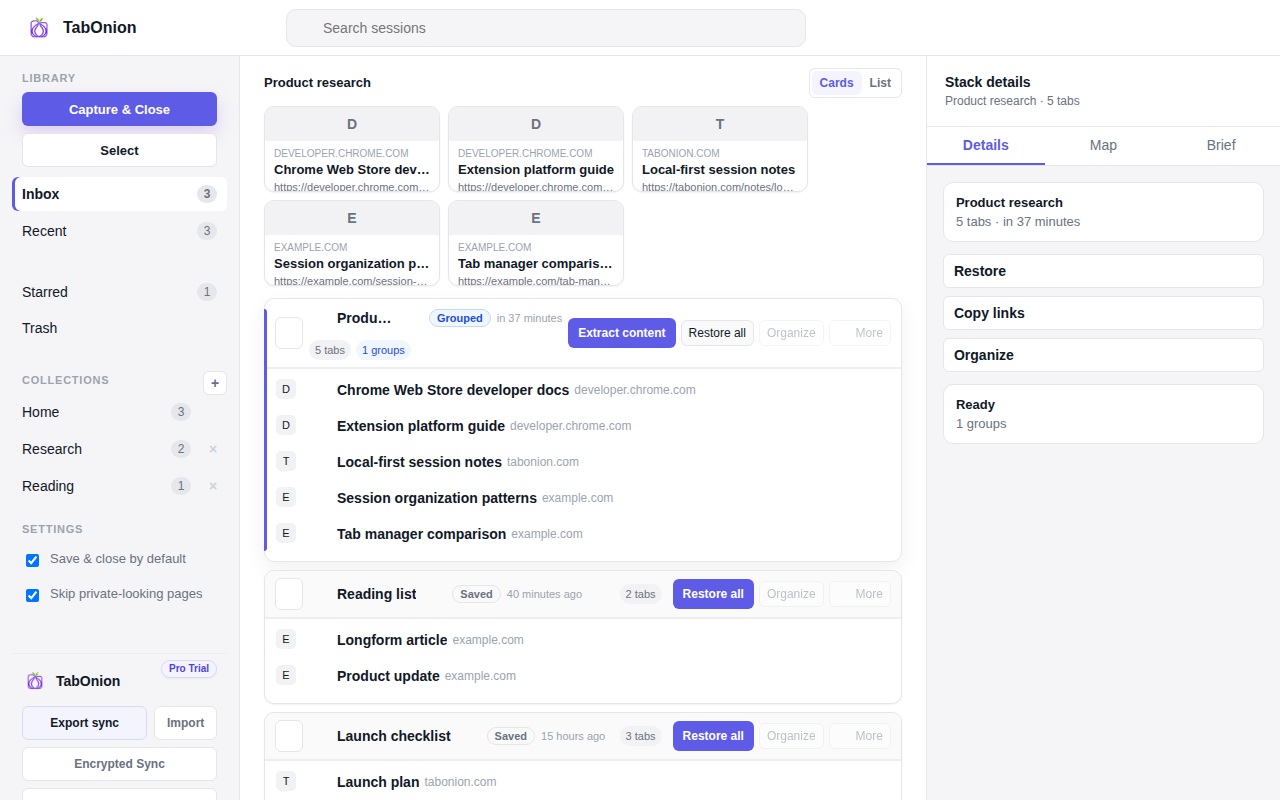
If you often need to find a website you visited but forgot the name of, save important pages into project-based packs while the context is fresh. Browser history is broad and chronological; a TabOnion pack is scoped to a task, making later retrieval easier.
Short answer
Stop re-Googling pages you already found.
Avoid losing useful pages in browser history by saving important tabs into searchable local packs while the context is fresh.
Good fit when
Browser history is too noisy for project work.
You want to save useful pages while the context is fresh.
How to do it with TabOnion
- Capture pages when they become useful.
- Name the pack by task or question.
- Search or restore the pack instead of repeating the original search.
Browser history is noisy
History can contain hundreds of pages from unrelated tasks, redirects, apps, and searches. It rarely remembers why a page mattered.
Save pages at the moment of recognition
When a page becomes relevant to a project, capture it with the other related tabs before switching tasks.
Use packs as retrieval anchors
A pack name, saved date, and source list can be easier to search than a half-remembered page title.
Common questions
Can TabOnion search my full browser history?
No. TabOnion focuses on tabs you explicitly save into packs.
Why is a pack better than browser history?
A pack preserves project context and related links instead of mixing every visited page together.