You need to share several links quickly.
Export workflow
Copy all tab URLs without doing it one by one
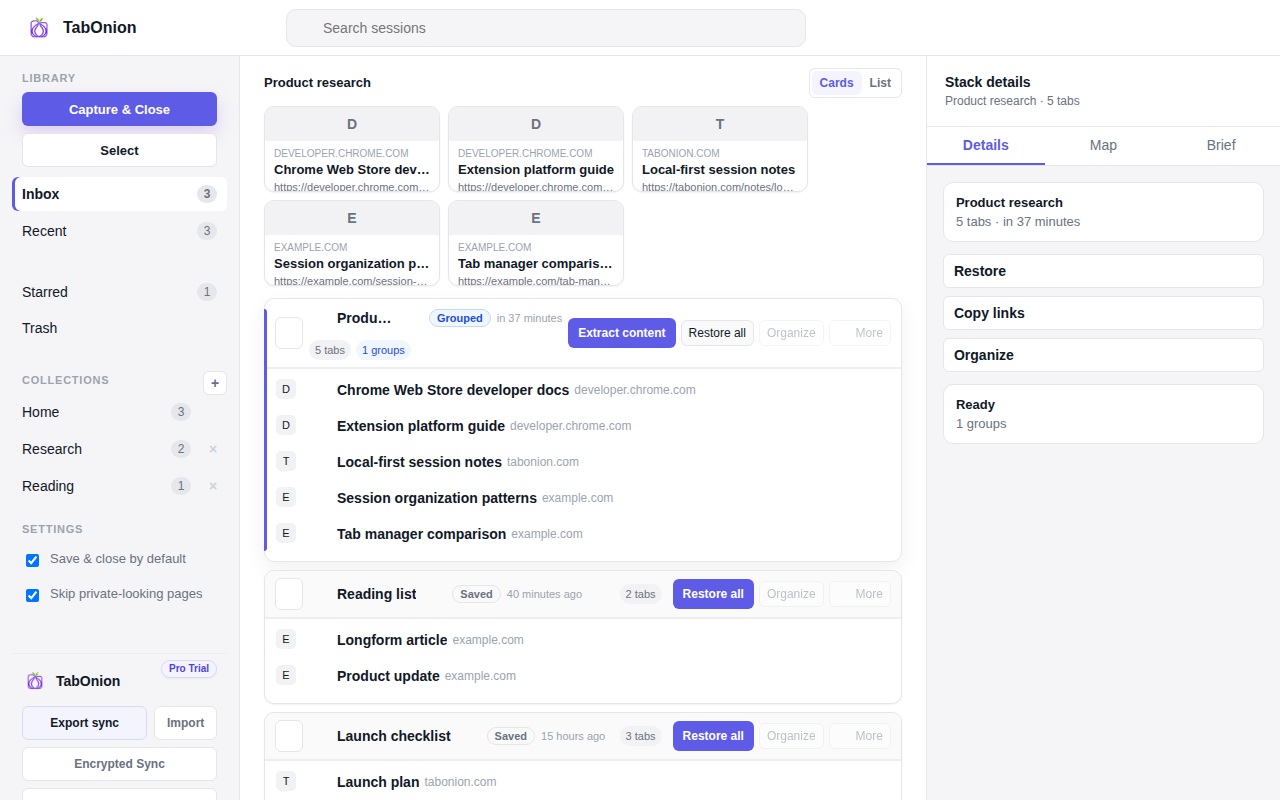
The fastest way to copy all useful tab URLs is to capture the selected tabs as a pack, then copy or export the link list from that pack. This avoids manually opening each address bar and gives you a reusable session instead of a one-time clipboard dump.
Short answer
Turn a window into a clean link list.
Copy selected browser tabs as a clean link list, then restore, share, or export the saved TabOnion pack later.
Good fit when
You are preparing notes, docs, or a handoff.
You want a reusable list instead of a one-time clipboard dump.
How to do it with TabOnion
- Capture the selected tabs.
- Copy the pack links.
- Export Markdown when the links need titles and structure.
Useful for sharing and documentation
A copied tab list is useful for research notes, bug reports, documentation links, project handoff, or a quick message to a teammate.
Copy is a bridge, not the whole workflow
Many users first need a link list, then later realize they need restore, search, naming, backup, or Markdown export.
Formats matter
Plain URLs are useful for quick sharing; title plus URL and Markdown are better for docs and AI prompts.
Common questions
Can I copy selected tabs instead of every tab?
Yes. TabOnion's workflow starts from selected tabs so unrelated pages do not pollute the list.
Why not just use bookmarks?
Bookmarks are persistent storage. Copying a pack is better when you need a portable list for a current task.