Several tabs belong to a client, article, bug, or decision.
Project workflow
Organize Chrome tabs by project
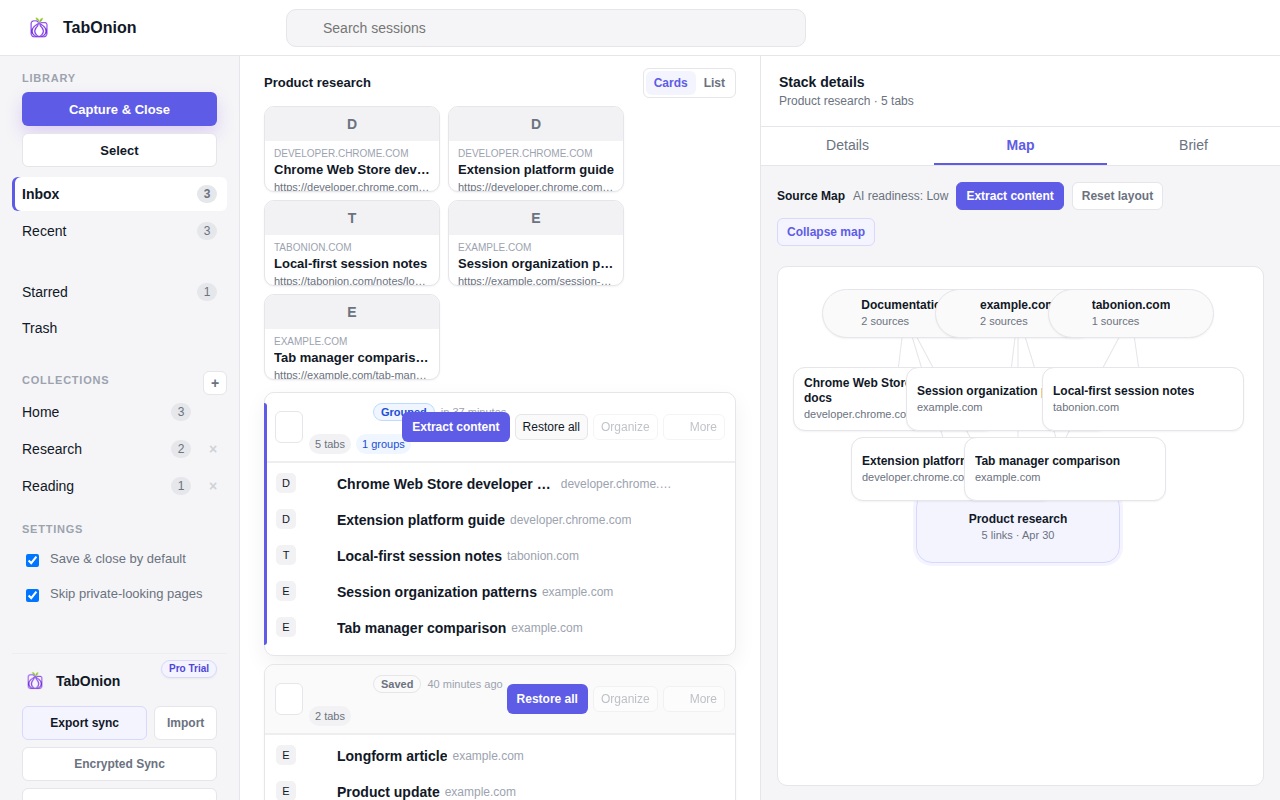
The practical way to organize Chrome tabs by project is to capture related pages into a named stack: one client, article, bug, spec, decision, or research question. TabOnion keeps that project context local and reusable without forcing every link into bookmarks.
Short answer
Group tabs around the project, not the window.
Organize Chrome tabs by project by saving selected pages into named local stacks that can be restored, copied, or exported.
Good fit when
You need project context without keeping a window open forever.
You want a source list that can move into notes or documentation.
How to do it with TabOnion
- Choose one project or question.
- Capture only the tabs that belong to it.
- Name the stack so future you knows why it exists.
Windows are a weak project system
A browser window can hold a project for a while, but it breaks down when research, communication, docs, and personal browsing mix together.
Use one stack per working question
A useful stack name should describe the decision or task, such as pricing research, onboarding copy review, or login bug sources.
Export when the project needs a handoff
After review, the stack can become a Markdown source list for docs, tickets, notes, or AI-assisted research.
Common questions
Should I create one stack per client or per task?
Use the smallest unit you will actually restore: often a client plus a task, article, bug, or decision.
Is this the same as tab groups?
Tab groups help arrange open tabs. A saved stack helps you close, restore, copy, and export the project context later.