You want to restore useful work without reopening an old crowded window.
Restore workflow
Restore a closed browser session without reopening the mess
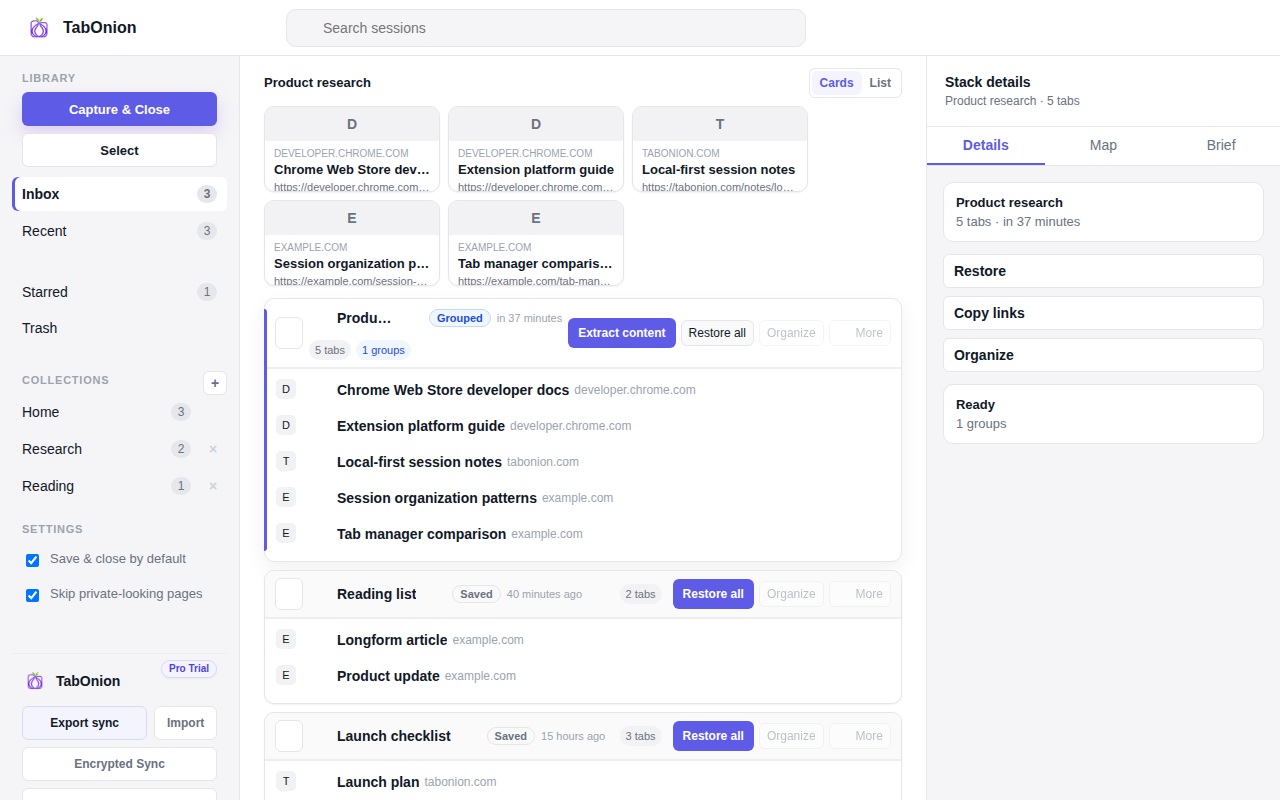
The cleanest way to restore a closed browser session is to save the useful tabs as a named stack before closing or restarting. TabOnion gives you a local restore point so you can reopen the project later without bringing back every distracting tab.
Short answer
Restore the work, not the whole mess.
Restore a closed browser session more selectively by saving the tabs that matter first, then reopening only the work you need.
Good fit when
Chrome restart or cleanup is coming and some tabs still matter.
You need a named recovery point for one task.
How to do it with TabOnion
- Select the tabs that belong to the session you want to keep.
- Capture them as a local TabOnion stack.
- Restore only the saved stack when you return.
Why full restore recreates the problem
Browser session restore is helpful after a crash, but it usually reopens the same crowded window. That can bring back duplicate searches, stale docs, and unrelated pages along with the work you actually need.
Save the subset that matters
Before closing a window, capture the tabs that belong to one task. A named stack gives you a smaller, inspectable unit to restore later.
Restore after review
When the work returns, review the saved stack and reopen only the pages that still matter. Copy links or export Markdown if the session needs to move into notes, documentation, or an AI prompt.
Common questions
Can TabOnion restore a session I never saved?
No. TabOnion restores stacks you explicitly captured. Unsaved crash recovery still depends on Chrome.
Why not use Chrome's restore window option?
Chrome restore is useful for emergency recovery, but it can reopen the entire mess. A saved stack is better when you want selective restore.